
What is a Floor Plan? Ultimate guide
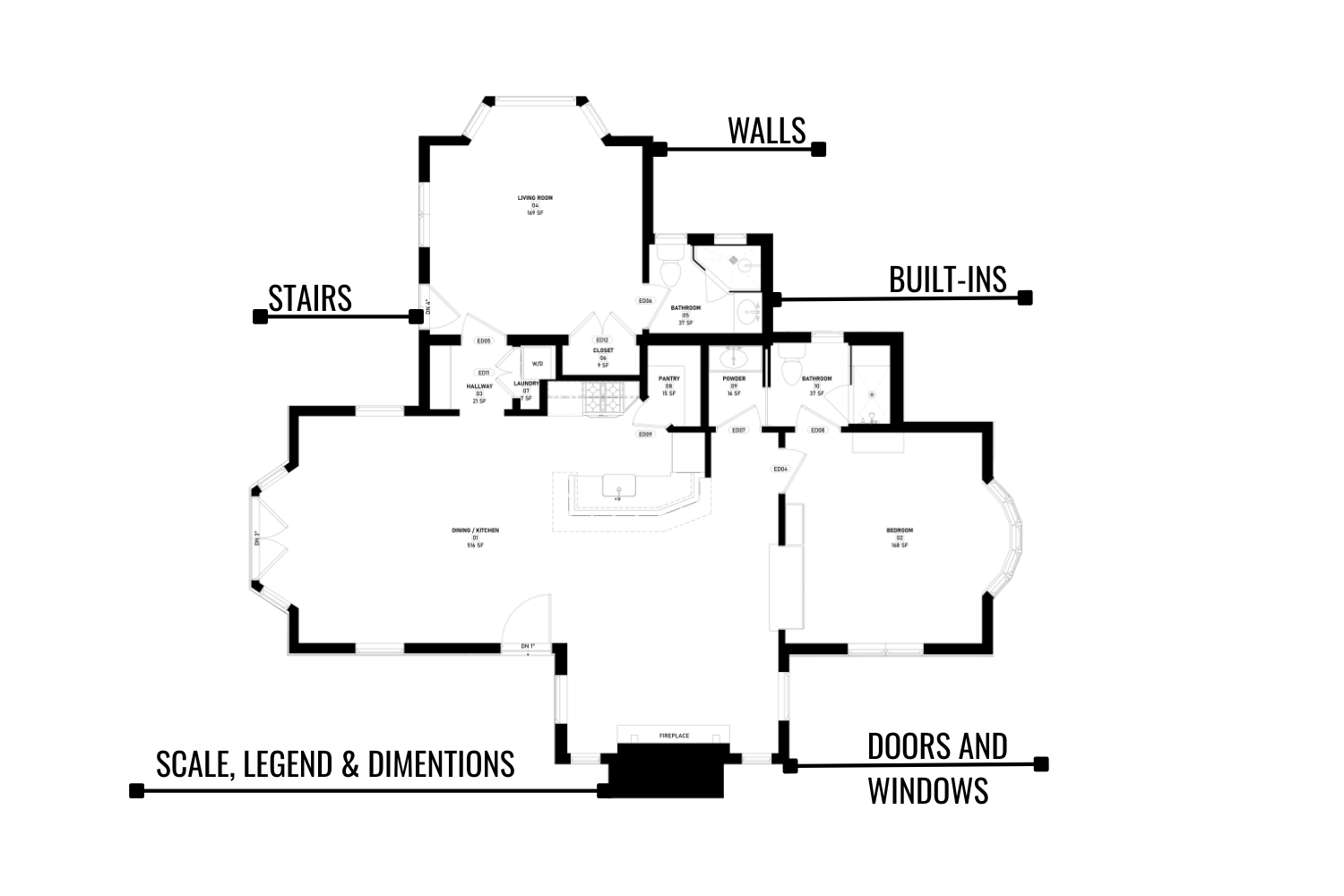
Ever wondered how homebuyers, builders, and designers know if a property will actually work before it’s built? The answer lies in floor plans. This is more than just a drawing; it's a scaled map of the layout that shows how rooms, walls, and openings connect.
This article will show you what makes a good floor plan, what information it needs to have, and how 2D and 3D views can help you figure out if a property really fits your lifestyle.
Definition of a Floor Plan
A floor plan is a drawing that shows how a house or building is set up from above. It outlines walls, doors, windows, and the way the space connects. The plan may cover the whole property, just one floor, or just one room, like a bathroom or bedroom, depending on what it's for.
Most good floor plans include more than outlines. They show:
- floor plan to scale with room dimensions and/or total square footage.
- doors & windows sizes and their types;
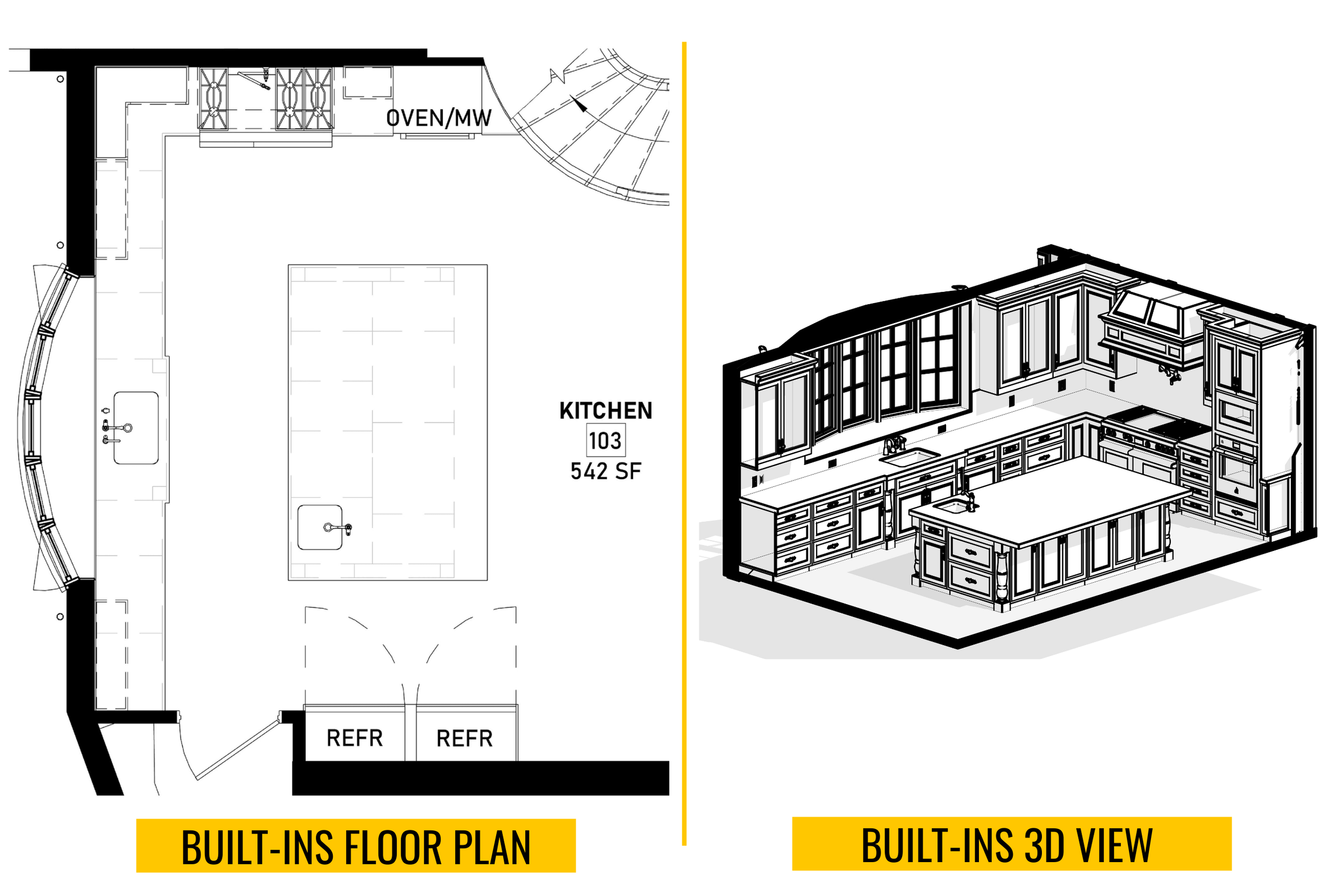
- permanent fixtures, aka built-ins, like sinks, appliances such as a dishwasher or fridge, and fireplaces.
This level of detail makes it easier to compare properties, understand circulation, and judge whether the layout really fits your needs.
What’s included in a floor plan?
| Element | What it Shows | Why it Matters |
|---|---|---|
| Room Dimensions | Scaled diagram of a floor plan with overall measurements, area, and distances. | Helps plan home design, check functionality, and compare spaces. |
| Doors and Windows | Placement and opening direction, width and height, amount count per type. | Affects natural light, ventilation, and ease of movement. |
| Stairs & Level Changes | Location of staircases and steps, direction up or down, and railings. | Defines circulation, safety, and space efficiency. |
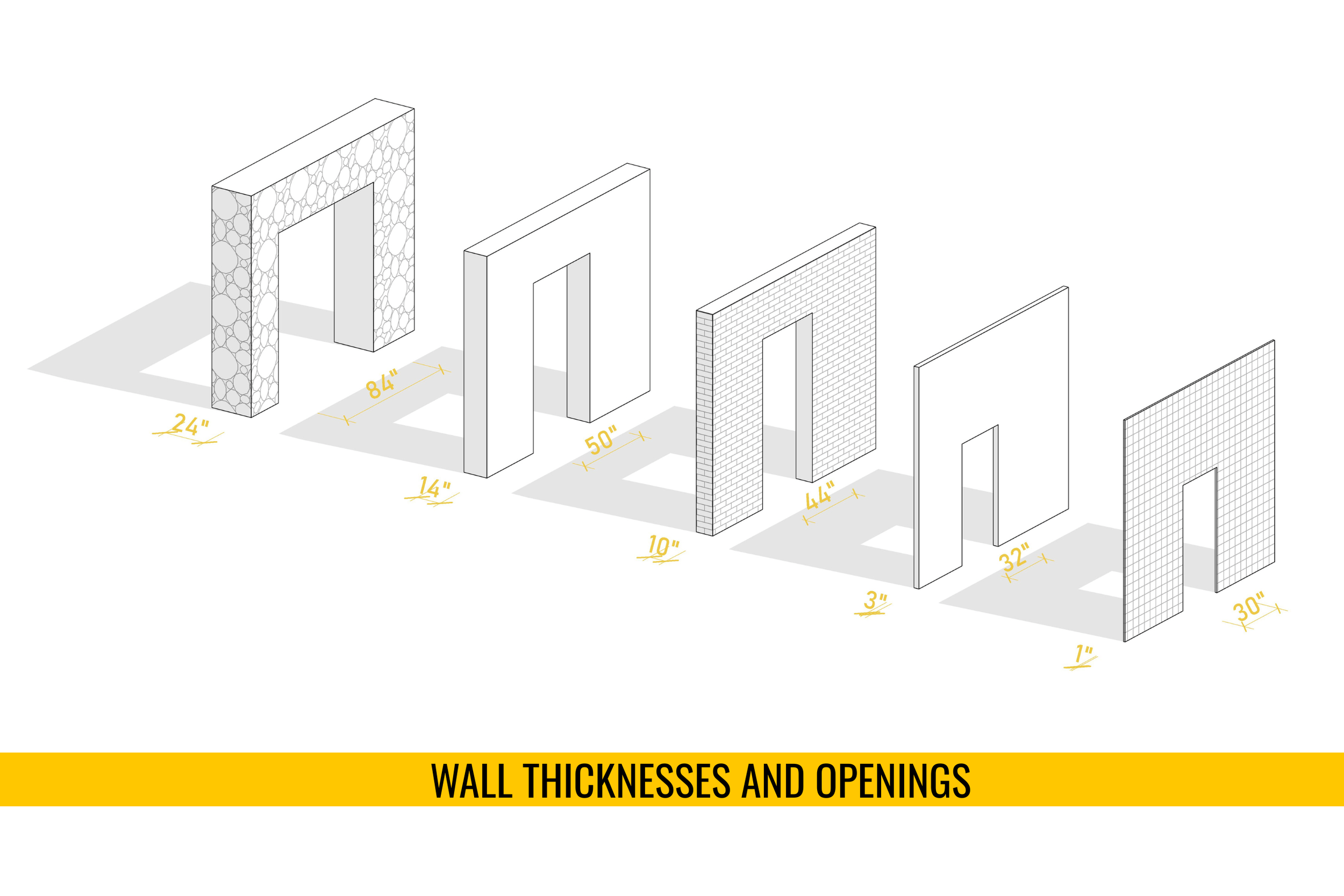
| Wall Thickness & Openings | Exterior and interior walls, arches, and door/window openings. | Impacts structural strength and room connectivity. |
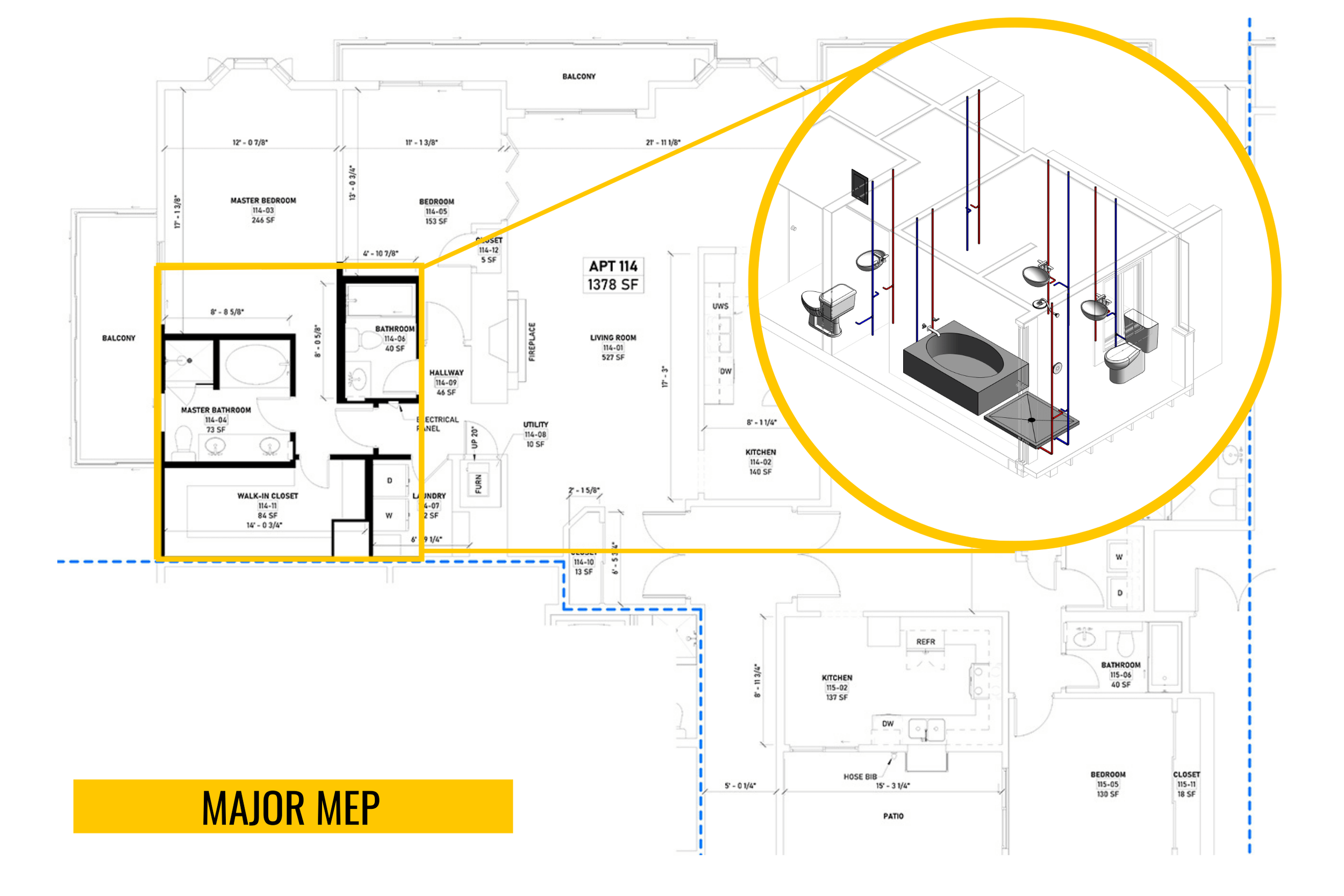
| Built-ins & MEP | Closets, cabinets, plumbing, HVAC, electrical points, and other physical features. | Essential for remodeling, storage planning, and compliance. |
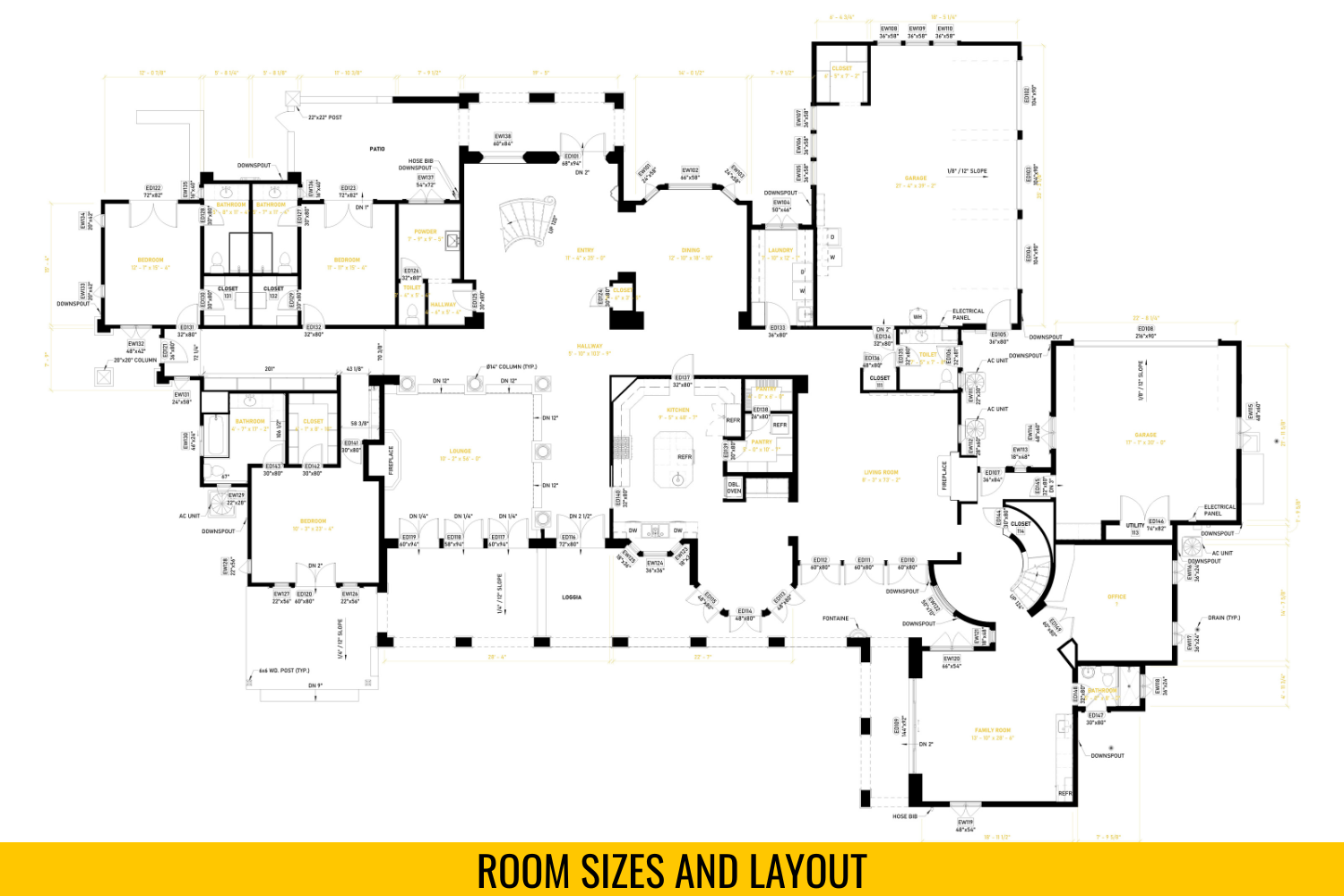
Room Sizes and Layout
Room sizes are a key part of any floor plan. Exact dimensions show the square footage of each area and how the layout connects different rooms. This information lets you compare homes, check if spaces meet your needs, and plan ahead. Accurate sizes also guide remodeling, furniture placement, and future design changes.
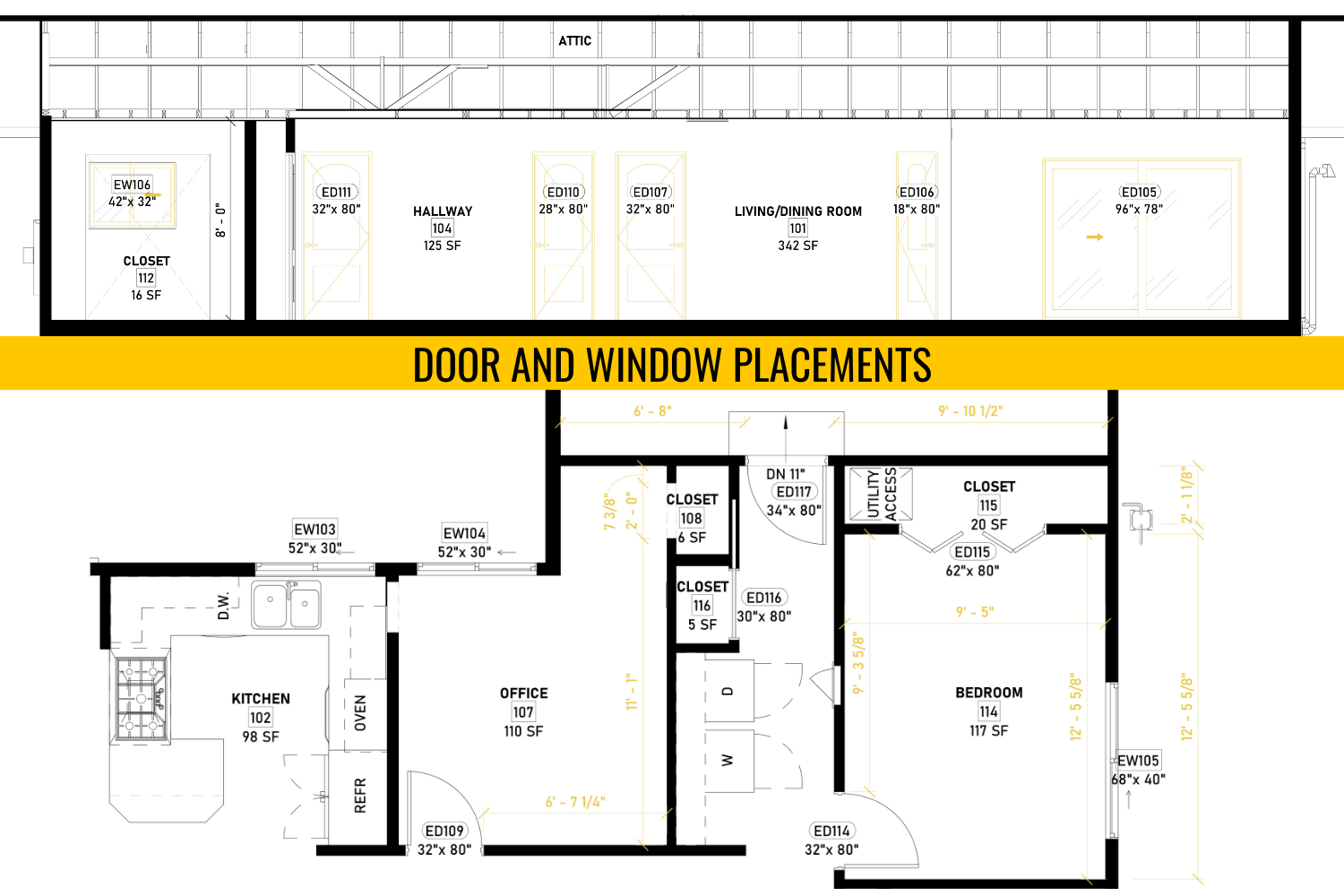
Door and window placements
A floor plan shows where each door and window sits in the home. Their position controls how people move through rooms, how daylight enters the space, and how air flows. Bad placement can block circulation or limit how you use the walls, or even violate local codes. This makes it clear if a room will feel bright, private, and functional.
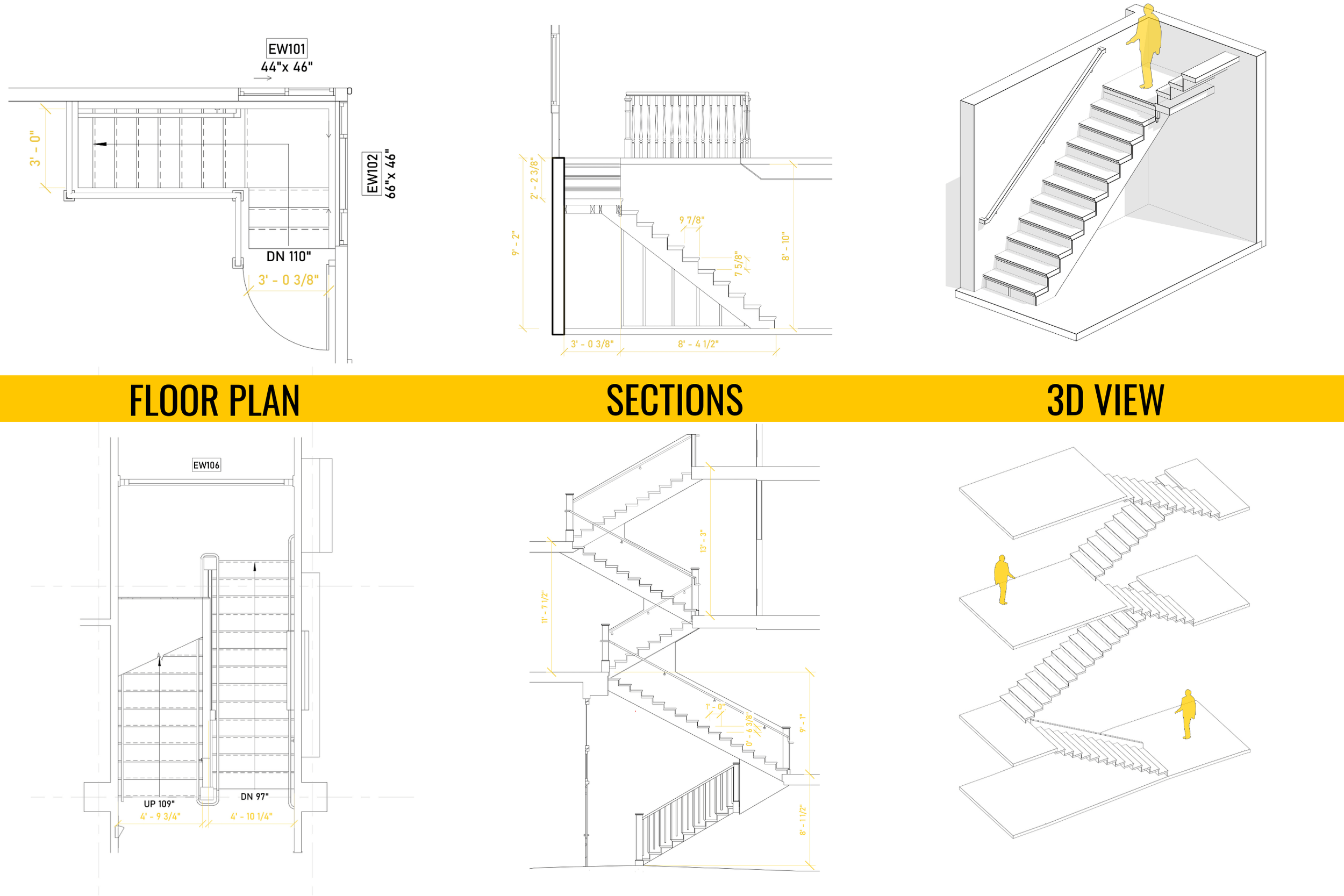
Stair Location & Other Floor Elevation Changes
Stairs and other level changes are essential details in a floor plan. The position of a staircase influences circulation, safety, and how efficiently the space is used. Poor placement can disrupt the flow of living areas or reduce natural light.
Plans also record smaller elevation shifts, like a step down into a sunken living room or up to a raised entry. These notes help you visualize movement through the home and understand how each level connects.
Wall Thicknesses and Openings
Show the layout and wall thicknesses and materials, such as gypsum, siding, etc. Looking at the plan view (from above), you can see exactly where walls are broken up by doorways, windows, and arches. The size and location of these openings directly influence the layout's functionality and how the rooms connect.
Built-ins
A floor plan often marks built-ins like cabinets and shelving, and other attached components. These features define storage capacity and shape how a room or building functions day to day. Their placement also affects circulation and furniture options.
Major MEP
It also maps out the major MEP systems, such as mechanical, electrical, and plumbing. These include HVAC units, electrical panels, as well as plumbing fixtures and drainage. By integrating MEP elements into the floor plan, designers and contractors can ensure that utilities are placed logically and do not interfere with the building’s structural components. For example, a poorly planned bathroom layout may require additional plumbing pipe installation.
Types of Floor Plans

2D Floor Plans
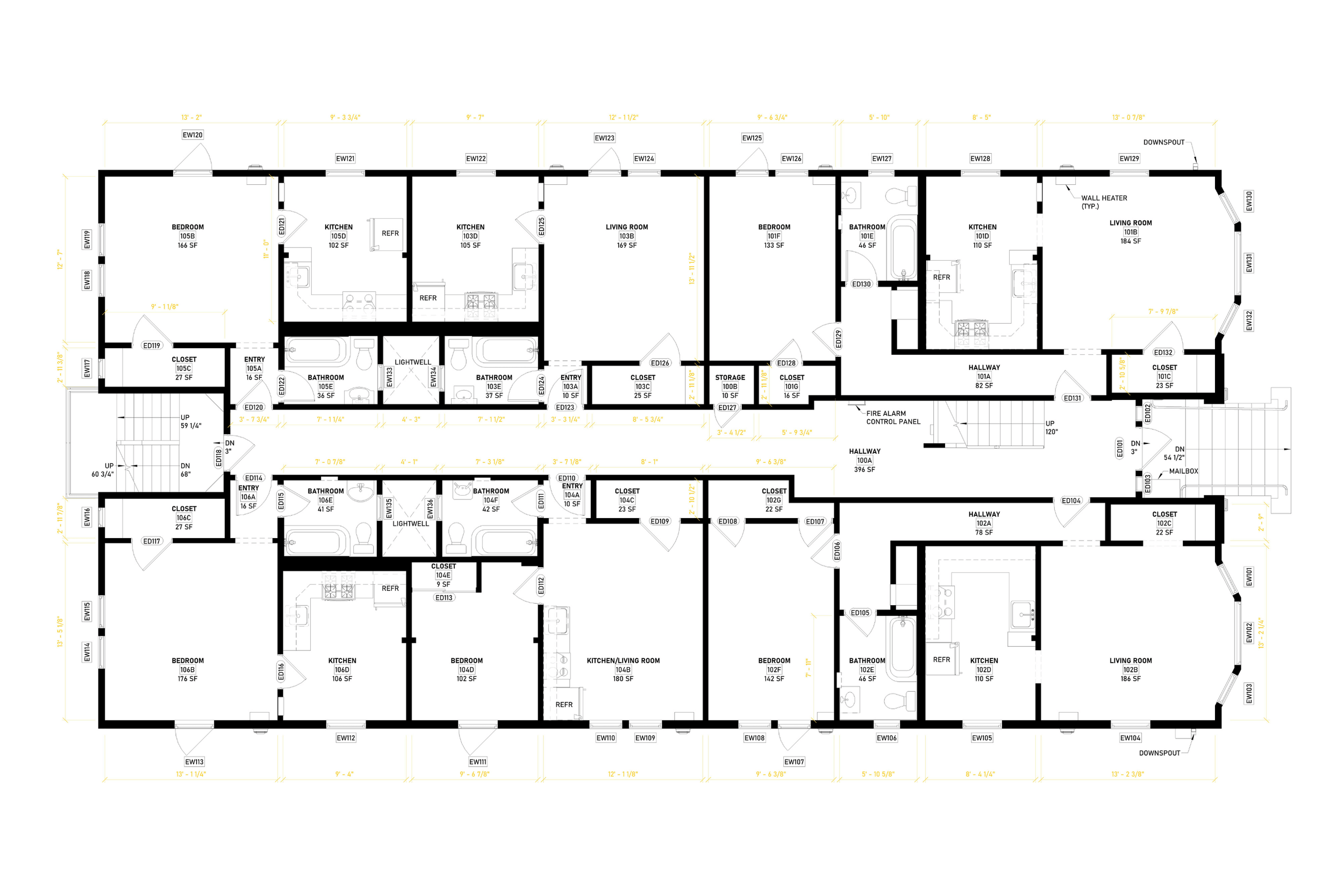
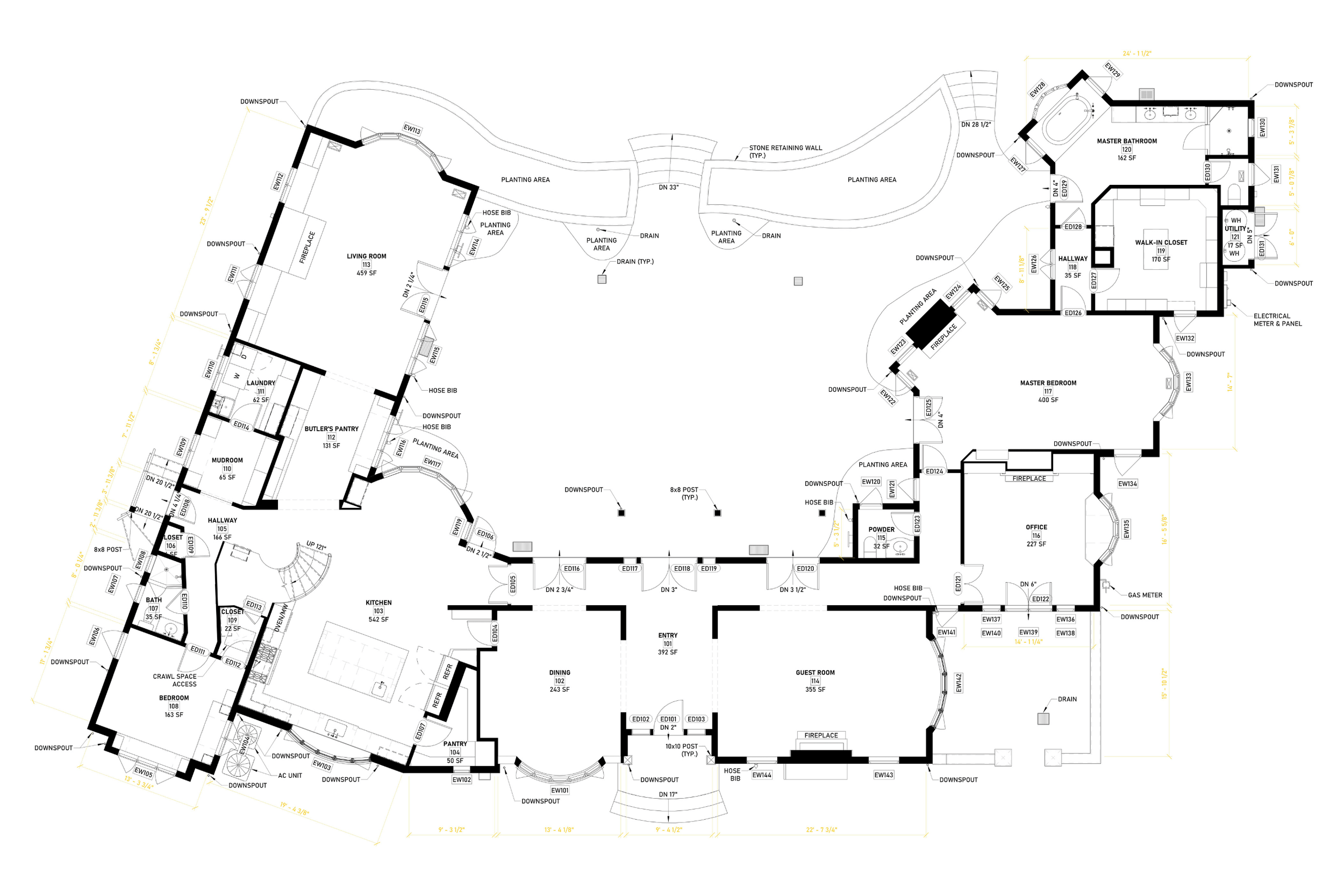
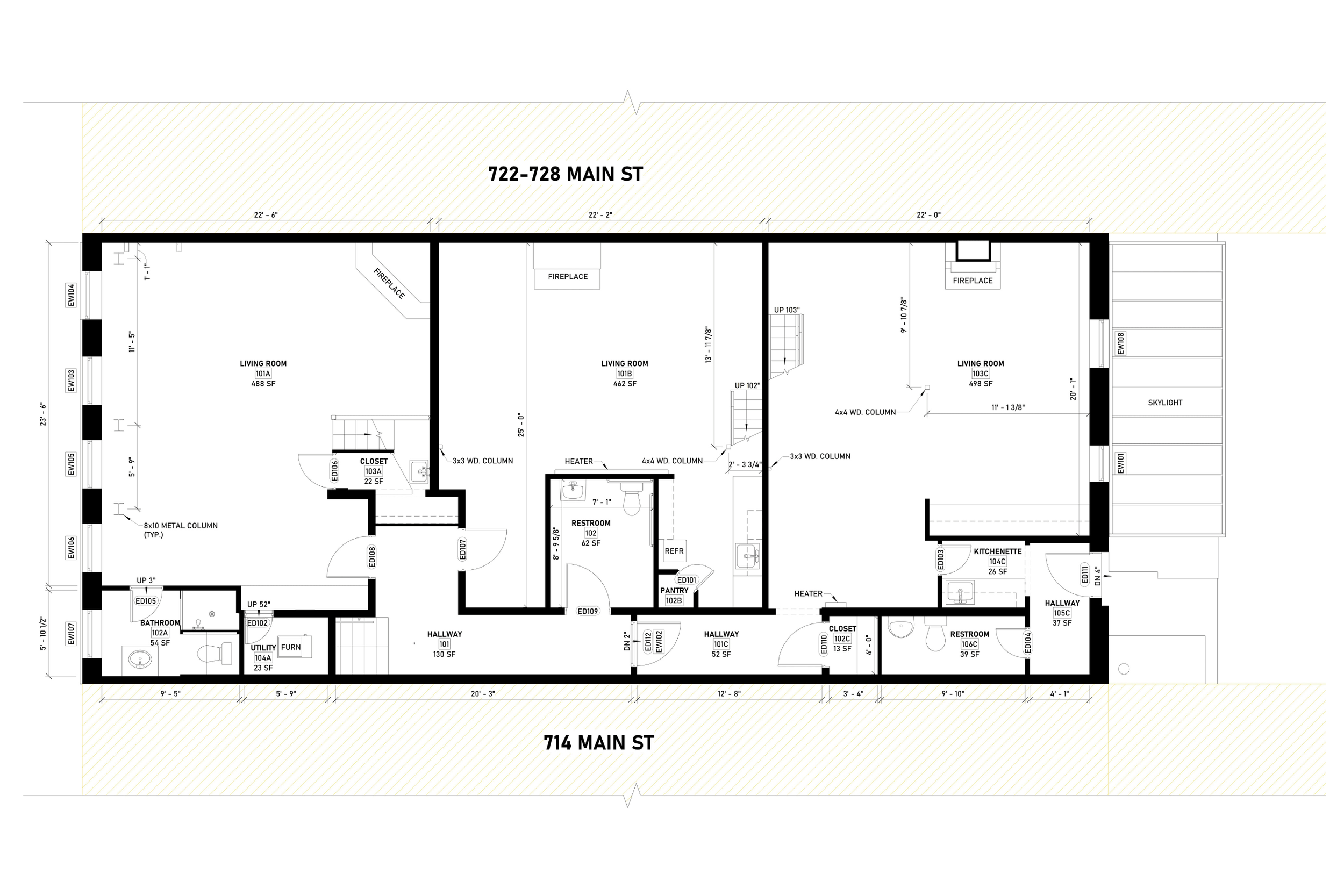
A 2D plan is the classic flat drawing. It shows the home from above, with walls, doors, and windows marked clearly. Because the plan is drawn to scale, you can trust the dimensions. That means you can check if the hallway is wide enough, calculate total square footage, or see how the room layout connects one area to another. Many 2D plans also show exterior walls so you understand the building’s true footprint.
3D Floor Plans
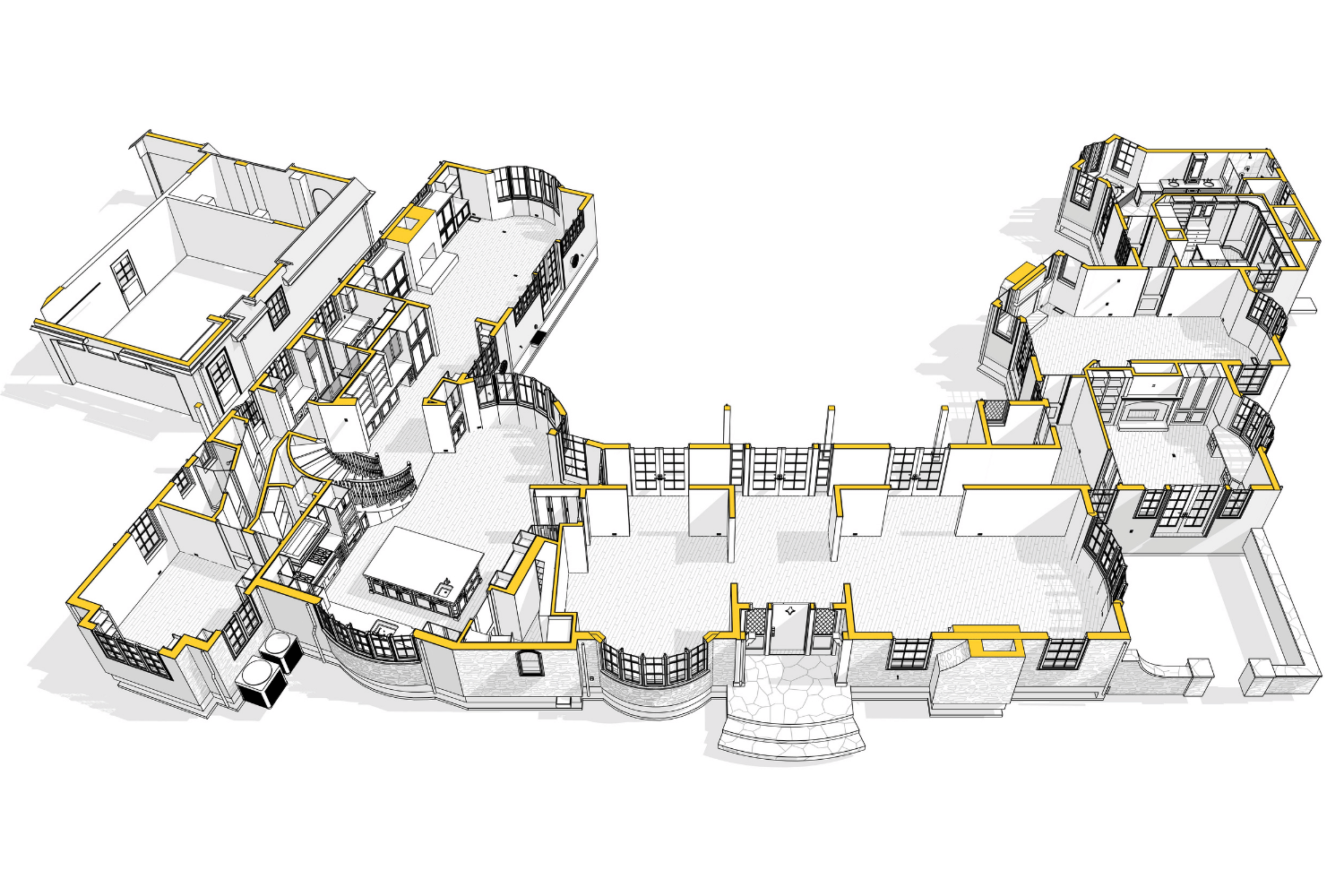
A 3D plan takes that same outline and adds depth. Instead of a flat sketch, you get a realistic view of the living space: walls with height, colors, textures, and even furniture. This is very popular for the real estate listing process, as it gives a very immersive understanding of the potential house.
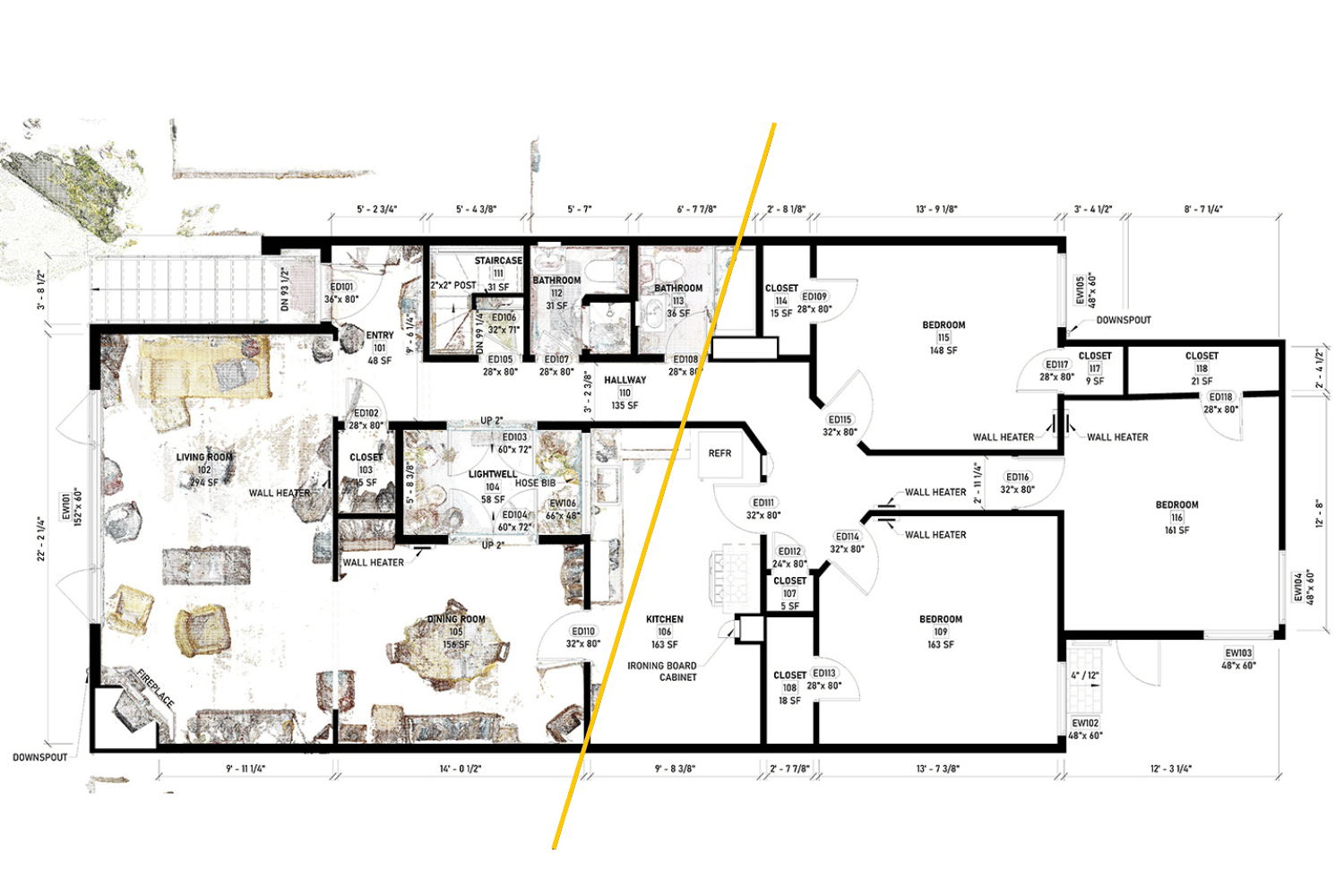
As-Built Floor Plans
It’s created after construction ends or before the remodeling starts, and shows the home exactly as it's built, not just how it was designed on paper. Every wall shift, doorway move, or change in utilities gets recorded. This is critical for renovations, code compliance, and maintenance. With the proper as-builts, you may request quotes for subcontractors, discuss architectural design changes, and ensure safety compliance per the latest codes.
Example of Floor Plans
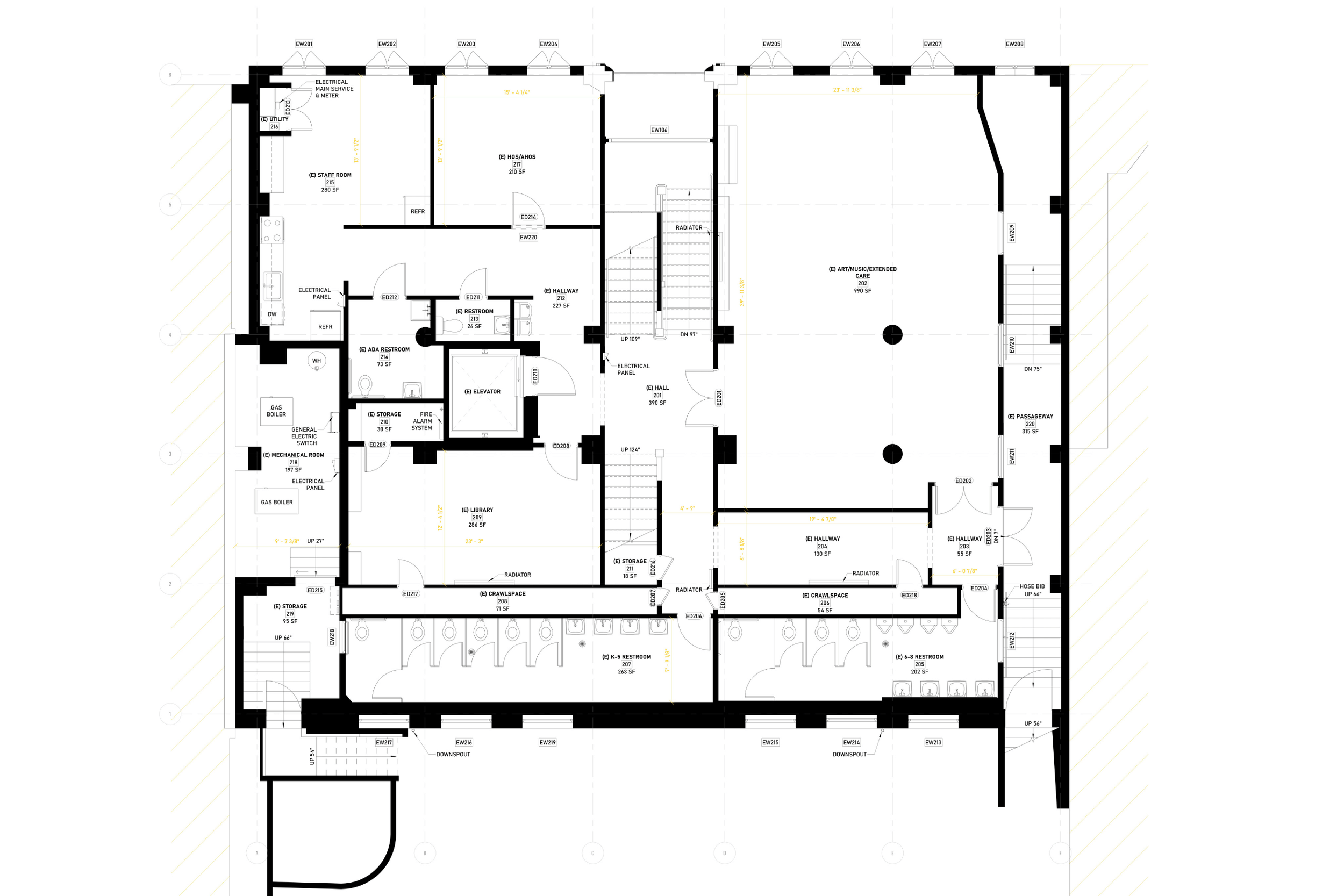
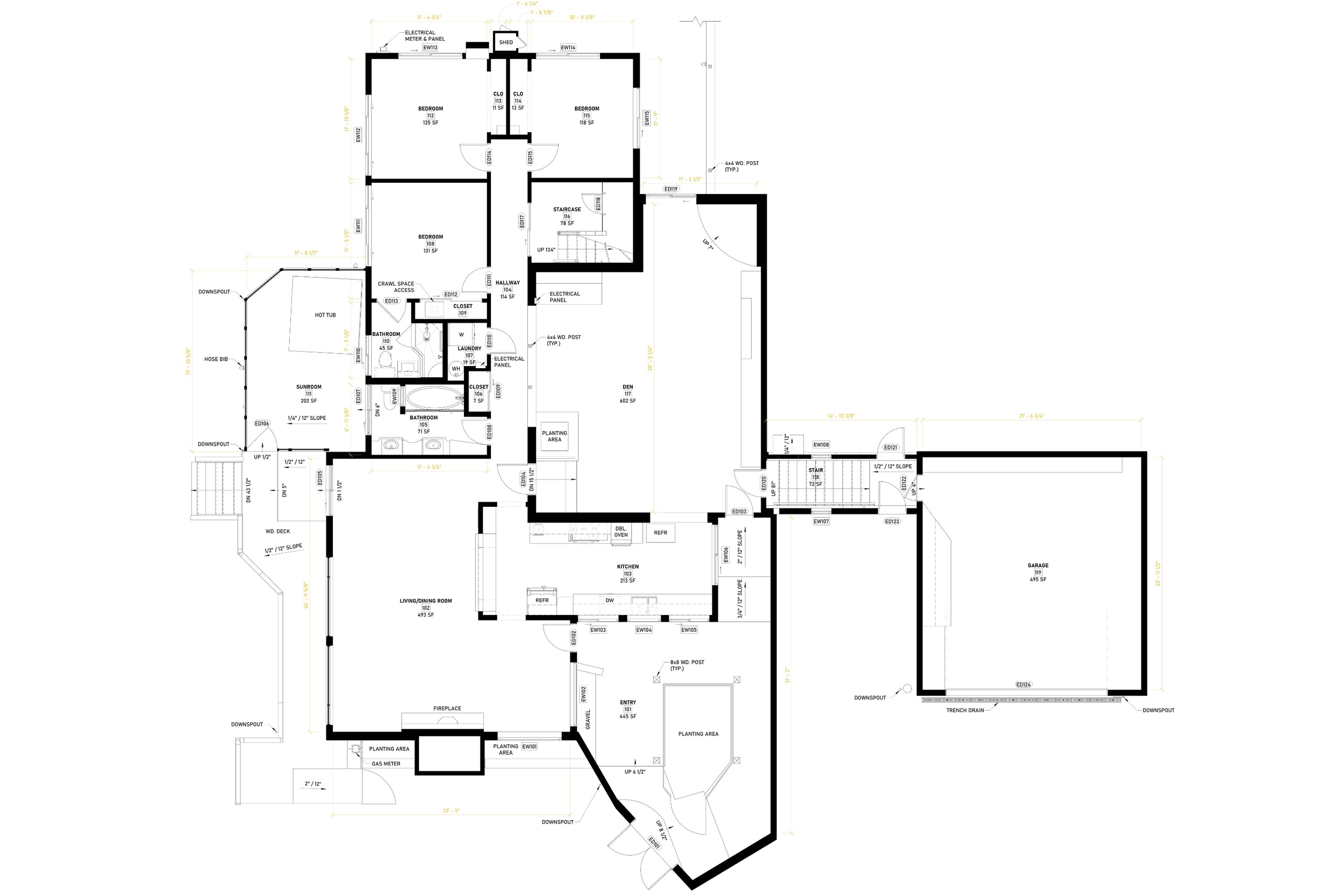
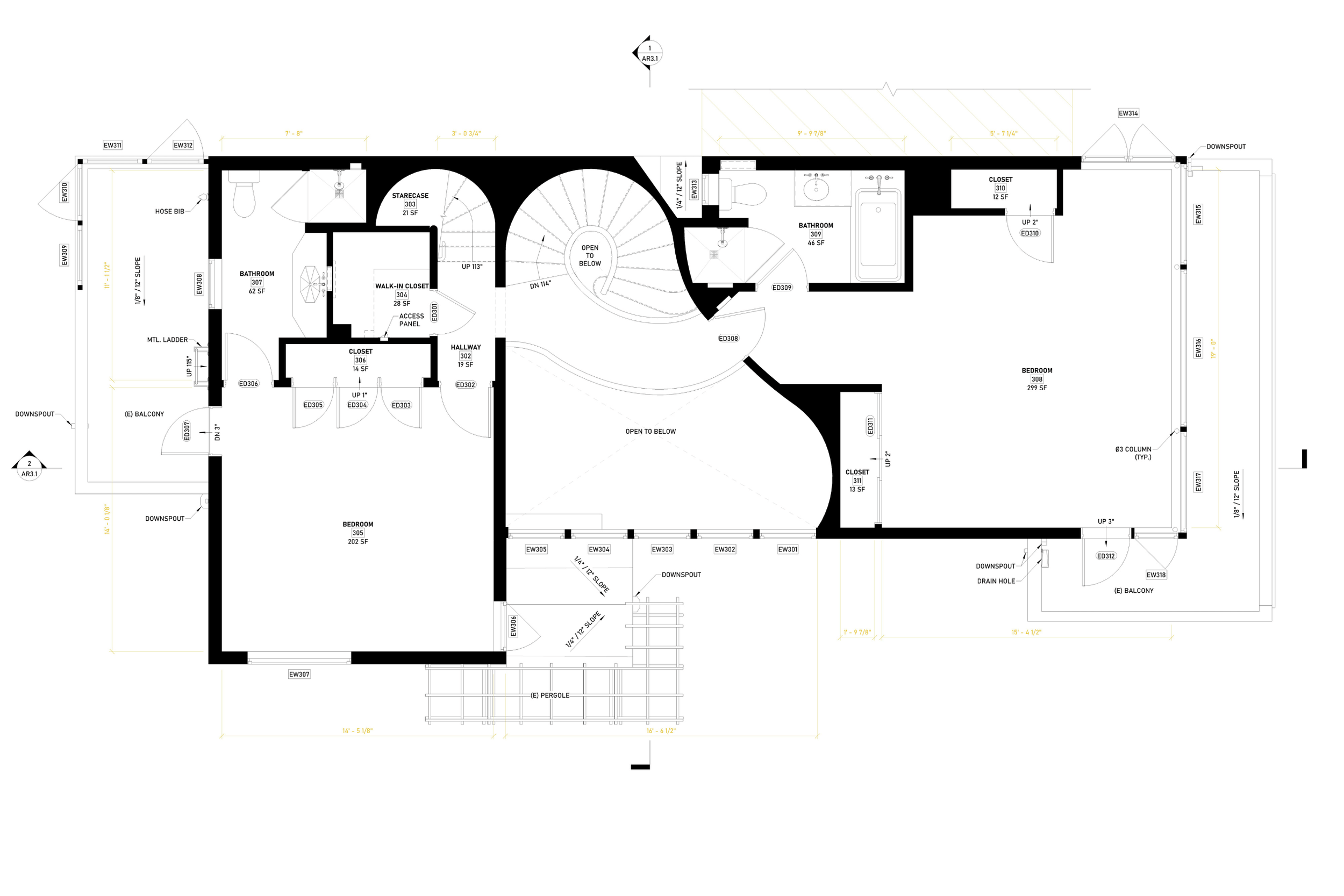
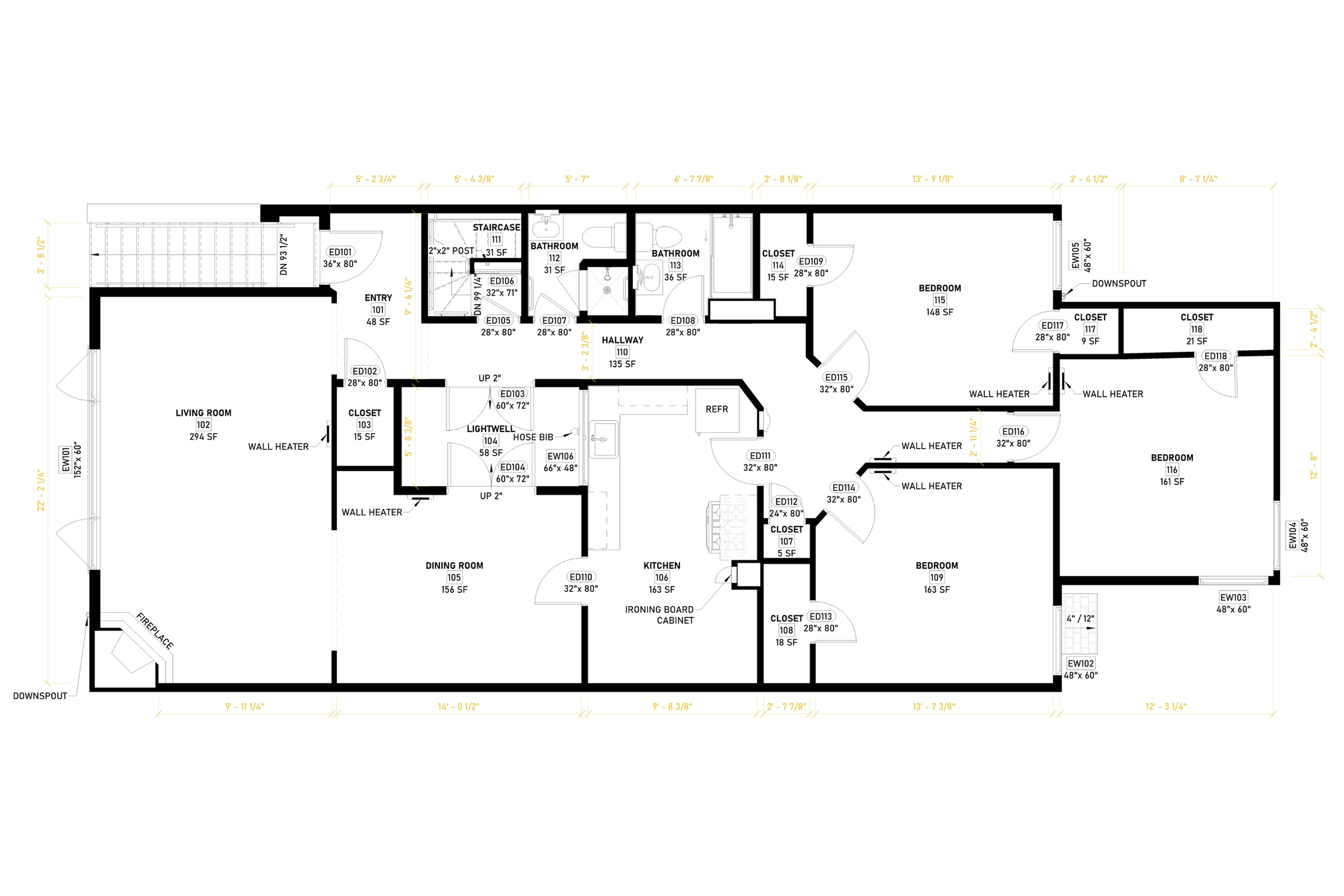
Why are Floor Plans So Important?
-
Helps visualize and understand the space.
When you use properly prepared floorplans, you see how rooms connect and how circulation works before construction starts.
-
Helps understand the existing layout & potential.
As-built drawings and updated plans reveal current conditions. This view shows how architectural features fit together and where changes are possible. It helps identify the real potential of a remodel or expansion.
-
Ensures functionality and comfort.
A good floor plan balances space, privacy, and light. This makes a home or office comfortable to live or work in while keeping the interior design and furniture layout practical.
-
Assists in planning electrical, plumbing, and HVAC systems.
Plans supply the technical information contractors need for utilities. With accurate diagrams, they can run electrical lines, plumbing, and HVAC without conflict. It prevents problems with walls, ceilings, or other architectural features.
-
Required for permits and contractor coordination.
Building departments often require detailed plans for approvals. Contractors also use a floor plan to coordinate trades. Clear drawings keep teams aligned and reduce miscommunication.
-
Avoids costly mistakes and rework during construction.
Errors in building are expensive. Reviewing layouts early saves money by showing conflicts before they reach the job site.
How to create an Existing Floor Plan
Define the Area
Decide whether you need to draw a floor plan for a single room, one floor, or the entire property. The scope determines the level of detail, the scale, and the time required.
Pro tip: It is always more beneficial to have the entire property recorded, start to finish. Even if you're currently deciding to work on one level only, it's always good to check wall alignment with other levels as well.
Take Accurate Measurements
- Measure walls, doors, windows, ceiling heights, and entry points.
- Record the direction of the door swings and the position of windows relative to walls.
- For accuracy, use a laser distance measurer for large spans and a tape measure for details.
- Always note unusual angles, niches, or steps.
Choose Your Tools
- Paper & Pencil: Quick sketches or drafts for initial layouts.
- Floor Plan Software: AutoCAD, SketchUp, Revit, etc.
Pro tip: Think long term. If you plan to submit drawings to your local building department, check their current submittal requirements online. Many cities no longer accept paper plans, so you may need to learn drafting software or hire a professional drafting service to prepare digital files that meet their standards.
Set the Scale
Floor plans are always drawn to scale to keep proportions accurate. Common scales:
- 1/4" = 1' Often used in U.S. residential projects and serves as a typical requirement.
- 1/8" = 1' Often used for larger projects.
- 1" = 1' Often used for details & fabrication.
Rule of thumb: the larger the area, the smaller the scale. Always include scale information in your drawing.
Model Existing Conditions
Translate raw measurements into a scaled outline. Start with exterior walls, then add interior walls, doors, and windows.
- Use graph paper or digital grids to maintain accuracy.
- Align features consistently, check that window placement and wall junctions match your measurements.
Drawing & Detailing
- Add built-ins, fireplaces, cabinets, and structural elements if required.
- Show permanent plumbing fixtures like sinks, bathtubs, or toilets that affect daily use of space.
Check for Mistakes
- Re-measure critical walls and openings to confirm accuracy.
- Ensure doors don’t block each other or circulation paths.
- Check if windows are evenly aligned across walls and whether ceiling heights match across adjacent rooms.
- Verify that corridors and passageways respect minimum width standards (e.g., at least 36" for main paths).
Furniture & Layout Testing
Place sample furniture or mark activity zones (kitchen island, dining, living, sleeping). This reveals flow, circulation paths, and functional bottlenecks.
Label & Annotate
Add clear labels for each room, measurements for walls, and notes for structural or utility points (electrical panels, plumbing lines, HVAC vents). Use standard architectural symbols to keep the plan readable.
Finalize & Share
Export or print the plan and share it with contractors, designers, or clients.
Once your design takes shape, transfer it into drafting software to refine the details. Working digitally ensures far greater precision and accuracy, allowing you to verify measurements, make adjustments easily, and achieve a perfect fit before moving forward.
Common Mistakes to Avoid When Creating a Floor Plan
| Mistake | Problem | Solution |
|---|---|---|
| Incorrect or Incomplete Measurements | Inaccurate plans due to skipped details or rough estimates. | Double-check measurements, use a laser measurer + tape, verify diagonals and angles. |
| Doors Blocking Each Other or Circulation | Doors open into each other or block traffic areas. | Plan door swings, consider sliding/pocket doors. |
| Narrow or Inefficient Hallways | Corridors too tight (< 36\") limit comfort & accessibility. | Follow clearance standards, ensure smooth circulation, check local building department requirements. |
| Poor Window Placement | Rooms feel dark, lack ventilation, or compromise privacy, code violation. | Balance natural light & privacy, ensure windows in main rooms, egress windows in bedrooms. |
| Ignoring Structural Constraints | Redesign needed if load-bearing walls/columns are ignored. | Confirm structural elements before changes, consult a licensed engineer. |
| Overlooking Furniture & Daily Use | The layout looks good on paper, but fails in practice. | Place scaled furniture, check circulation and clearance. |
| Forgetting Utilities (MEP) | Conflicts with plumbing, electrical, and HVAC later. | Mark utilities early, coordinate with contractors. |
| Lack of Clear Labels & Scale | The plan becomes confusing without details. | Always add room names, dimensions, scale bar, symbols. |
| No Future Flexibility | Rigid layouts can’t adapt to lifestyle or remodeling. | Design multipurpose spaces and allow for flexible areas. |
Why a Floor Plan Alone May Not Be Enough?
While floor plans are essential, they don't give you all the information you may need. This plan shows how the space is laid out from above, but it doesn't say anything about the height, rooflines, or details of the facade. You need elevation drawings to understand the vertical design.
Building Departments need more than just floor plans. Most offices that give out permits now want floor plans, reflected ceiling plans, and exterior elevations. It is no longer enough to send in just one drawing to get approval.
Missing site context. Floor plans don't often show exterior spaces and how the house sits on the lot, the grading, or the landscaping. Site plans give you the information you need.